


Guides · Building and making
The Builder's Lens
Every block in Gleamheart can be set by hand, one at a time. The Builder's Lens sets thousands at once: mark a box and fill it, hollow it or copy it, draw a sphere or an arch, mirror half a hall into a whole one, and keep what you built as a blueprint to set down again. In creative it is yours in your own worlds; in survival you carry one, and every block it sets comes out of your bag.
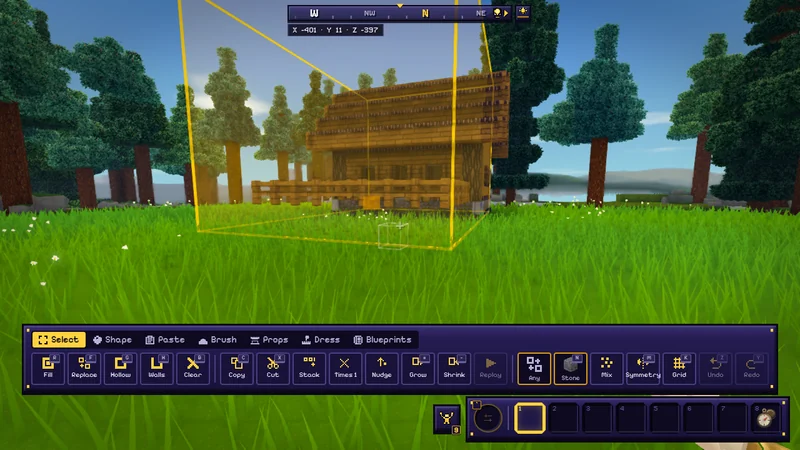
Opening the Lens
Press I to open the Lens; on a phone, tap the Lens button in the toolbar. Its bar sits over the hotbar, with tabs for Select, Shape, Paste and Blueprints; a Creative world adds Brush, Props and Dress. Under the tabs are the five actions of the tab you are on, keyed R F G H B in order on a keyboard, so the mouse stays on the world. Tab steps through the tabs. The block the Lens sets is the block in your hand, or any block from its picker: press N, or tap the block on the bar.
In creative, the Lens works in your own worlds: a world in this browser, a world you opened to friends, or your private world on our server, where its owner builds with it and so do the players the owner allows with /builders add. It never works in the Gleamlands or in a round. In a Creative world on our server, nothing earned there counts anywhere else.
Boxes and fills
On the Select tab, click a block for the first corner and drag to the second, or right click the second; on a phone, tap one corner, then the other. The box shows its size in blocks. Grow (=) and Shrink (-) push the face you are looking at out or in, and Nudge or the arrow keys move the whole box. A box can be up to 256 blocks along a side, and one operation changes up to 50,000 blocks. Big ones finish over a second or two, and the bar shows how far they are, with Stop.
| Action | What it does |
|---|---|
| Fill | Every cell in the box becomes the block |
| Replace | Only one kind of block in the box becomes another; the rest stays |
| Hollow | A shell one block thick with air inside: a room |
| Walls | The four sides only, no floor or roof |
| Clear | Everything in the box becomes air |
Copy (C) and Cut (X) take the box to your clipboard. Stack repeats the box the way you look, beside itself, up to 32 times: one arch becomes a colonnade, one fence span a whole field's edge.
Shapes
The Shape tab draws what a box can't:
- Line: runs between two points.
- Sphere and Cylinder: stand solid or Hollow.
- Arch: spans its two feet.
- Wall: follows the points you click, up to 24 of them, at the height you choose.
- Cone: rises from the whole floor of its box to a point, a spire or a tower's cap.
- Pyramid: rises the same way in square steps.
- Gradient: fills its box through a mix in order, its first block at one end and its last at the other.
Sphere, cylinder and arch take a thickness from 1 to 8, and Turn (Q) lays a cylinder or an arch on its side. Press Build (Enter) to set it down. A shape is one operation, so one undo takes it back.
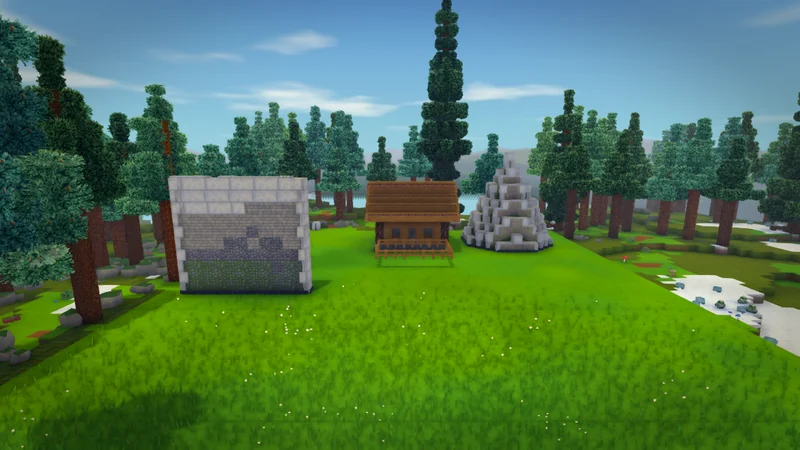
Mixes and masks
On the Select and Shape tabs, Mix opens the Mix window. Type a mix and Use it, and the Lens scatters its blocks by weight: 3*stone, 1*cobblestone sets about three stone to every cobblestone, the same pattern every time, and 70%stone, 30%cobblestone works too. A mix holds up to 8 blocks, and air among them leaves gaps, for a wall gone to ruin. The line marked Only is a mask: with dirt, grass in it, a fill or a shape changes only dirt and grass and leaves everything else standing (up to 16 blocks).
Keep names a mix and keeps it on this device, up to 12. Every builder also has the Lens's own: Old stone, Rubble, Road, Desert wall, Frost, Ruin, Weathering, Sunset and Dusk. Weathering, Sunset and Dusk are made for a Gradient, their blocks in the order they run.
Symmetry and the grid
Symmetry (M) sets a mirror at the block you aim at, across the way you face: press it again for a second mirror across the first, then again to turn it off. While it is on, every fill, shape, paste and every block you set or break by hand happens in each mirror image as well, so you build one wing of a castle and the other rises with it. Grid (K) lays a ruler of block cells on the ground round you, to count out a wall before you build it.
Paste, turn and mirror
On the Paste tab, a ghost of the clipboard stands where you aim. Turn it a quarter, Mirror it, Upend it (U) to stand it on its head, and choose with Air whether its empty cells clear what is already there. Then click or tap to set it down. Snap lines it up on a grid, and Pin leaves the ghost standing as a guide to build by hand, block by block, with Materials listing what it takes. Turned and mirrored stairs, doors and logs face the right way.
Blueprints
Keep saves the clipboard as a blueprint, under a name of up to 32 letters. You keep up to 40: on our server they follow your account, in single player they stay in this browser. Open the Blueprints tab to load one into the clipboard and paste it into any of your worlds, or Send a copy to a friend or to a builder of the world you are in, straight into their list with your name on it. Blueprints are never shared in public.
Bring in a file takes a build from a .schem, .litematic or .vox file: it turns in a preview, each block it doesn't know is swapped for one of ours and lit gold, and any swap can be changed before it becomes a blueprint.
The masons’ library
Under your own, the Blueprints list holds the masons' builds, given to every builder. The Grand Cascade is a columned marble backdrop with a guardian in its niche, a cascade tumbling into a curved pool lit from under the water, and a paved square round it. Load one and paste it whole, or pin it as a guide and build it by hand. Each is listed wide × high × deep:
- Grand Cascade (23 × 16 × 20)
- Practice Yard (15 × 4 × 15)
- Fieldstone Cottage (11 × 9 × 9)
- Timber Watchtower (7 × 19 × 7)
- Stone Bridge (17 × 9 × 5)
- Village Well (5 × 6 × 5)
- Market Stall (5 × 5 × 4)
- Harbor Lighthouse (7 × 22 × 7)
- Walled Garden (13 × 5 × 13)
- Timber Dock (5 × 6 × 15)
- Windmill (13 × 17 × 8)
- Stone Arch (9 × 10 × 3)
- Forge Shed (7 × 9 × 6)
- Lever Gatehouse (10 × 10 × 5)
- Lamplit Walk (13 × 2 × 4)
- Treadstone Doorway (7 × 5 × 3)
- Dusk Lamp Row (11 × 2 × 3)
In survival
In survival the Lens is an item. Make a Builder's Lens at a Maker's Bench: a glass between two gold ingots across the top, an iron ingot under the glass and a haft under that. Carry it anywhere in your bag and I opens the Lens in single player, in a private world and in a world opened to friends, wherever you may build by hand. Not in the Gleamlands, not in a round.
One rule holds over every tool: no free blocks. Each block the Lens sets comes out of your bag first, then out of chests within 6 blocks of you that you may open. Each block it takes away goes back the same way. It moves plain blocks only, the ones that drop themselves: planks, bricks, glass, slabs, stairs, logs, wool and cobblestone. Stone, grass, ores, leaves, liquids, doors and machines are left for your hands. A cell you can't pay for, can't make room for, or may not change by hand is left as it is, and the bar says how many and why: "40 left: no Planks". Before a blueprint is pasted, its materials show what it needs and what you are short of; what you can't pay for stays as a ghost to fill in later.
In survival a box must lie within 48 blocks of you (in creative, 160), and Undo reaches back 5 minutes; an undo gives back what it takes away and costs what it puts back. Land brushes, Props and Dress are creative only. Carrying the Lens, turn on Long reach in Settings > Gameplay and a block set by hand reaches 3 blocks further.
Undo, land brushes and replay
Undo (Z) and Redo (Y) step back through your last 40 operations in that world, blocks set by hand among them, and the Lens keeps the newest 20 of them for 7 days after you leave. In creative, the Brush tab shapes the land itself: Raise, Lower, Smooth, Flatten and Paint, a size of 1 to 12 and a force of 1 to 5. On our server, Replay on the Select tab plays back the last day's building in the box from bare ground up while you frame it in photo mode: a time-lapse to record.
Commands
Wherever the Lens works for you, its box tools answer to the chat as well. Type a box's corners as six numbers, x y z of one corner and then of the other; a tilde, ~, is where you stand, and ~3 three blocks on from it. Type no corners and the command takes the box you marked with the Lens, or else the last box it worked on. A block is its name, like stone_bricks, a mix like 3*stone,1*cobblestone, or one of the Lens's own mixes by name, like old_stone. A mix you kept on this device stays in the Mix window: a typed command knows only the Lens's own.
| Command | What it does | Example |
|---|---|---|
| /fill <block|mix> [x1 y1 z1 x2 y2 z2] | Fills the box with a block, or a mix such as 3*stone,1*cobblestone or one of the Lens’s own. | /fill stone ~ ~ ~ ~3 ~2 ~3 |
| /replace <blocks> <block|mix> [x1 y1 z1 x2 y2 z2] | Changes only the listed blocks in the box (dirt,grass) to a block or a mix. | /replace dirt,grass old_stone ~ ~-1 ~ ~3 ~ ~3 |
| /walls <block|mix> [x1 y1 z1 x2 y2 z2] | Raises the box’s four sides in a block or a mix; its floor, roof and inside stay. | /walls rubble ~ ~ ~ ~5 ~3 ~5 |
| /copy [x1 y1 z1 x2 y2 z2] | Copies the box into the Lens’s clipboard. | /copy ~ ~ ~ ~3 ~3 ~3 |
| /paste [x y z] | Sets the clipboard down where you stand, or at x y z. | /paste ~2 ~ ~ |
| /undo | Takes back your last Lens operation or building by hand. | /undo |
| /redo | Puts back what /undo took. | /redo |
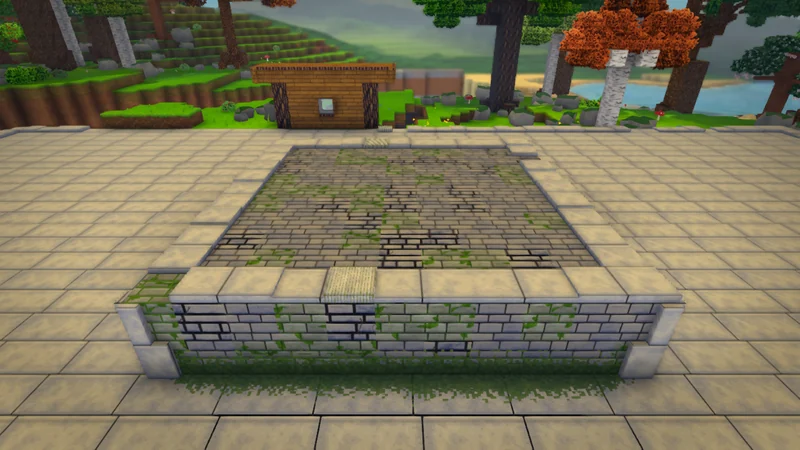
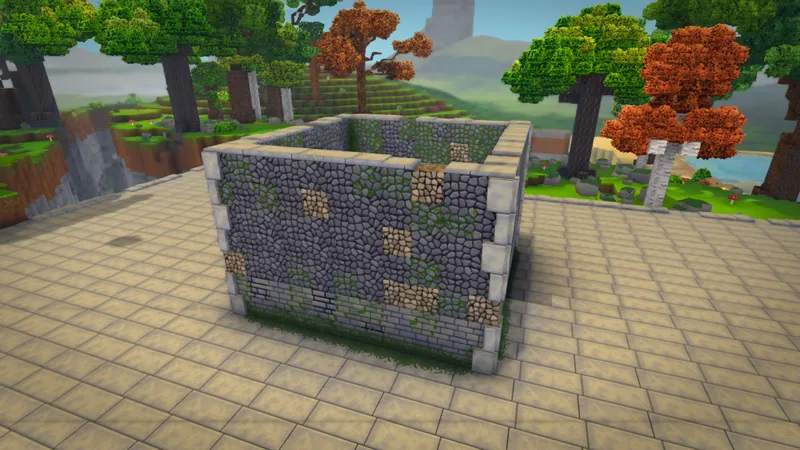
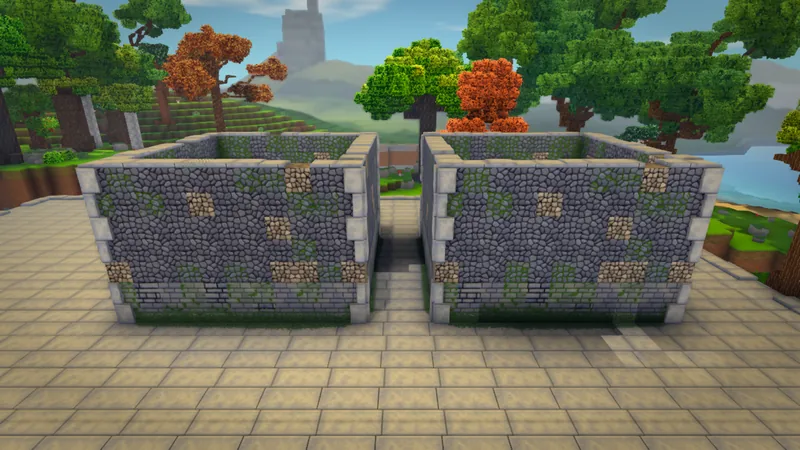
A command is the Lens's own work under the Lens's own rules: the same claims, the same reach, the same undo, and in survival every block paid from your bag. One command covers up to 50,000 blocks; a bigger box is refused whole. A command sent while the last one is still building is told to wait.
Owners and their builders
A world's owner decides who builds there. These are the owner's commands:
| Command | What it does | Example |
|---|---|---|
| /builders [add|remove <player>] | Lists who builds with the Lens in this world; the world’s owner adds or removes a player. | /builders add Lark |
| /visitors [build|watch] | Lets visitors build, or only walk, open doors and talk. | /visitors watch |
Photo mode
Press F2, or type /photo, and the screen clears for a picture: the HUD hidden and a camera that floats near you. Orbit (O, or the orbit button on a phone) circles the block you looked at: move to turn round it, Jump and Sneak raise and lower it, forward brings it closer. Time (T, or the hourglass button) steps the sky through Sunrise, Morning, Noon, Golden hour, Sunset and Night, then back to the world's own; the world's clock runs on and returns when you leave. Where your device can carry it, what the middle of the view looks at stays sharp and the rest softens. P, or the shutter on a phone, takes the picture.
What the Lens never touches
Chests, display shelves, Forges, Hearth Pots, Homefires, Bedrolls, cairns, claim stones and the world's shrines and lenses are never moved, filled over or cleared. On claimed land the Lens changes only what you could change by hand, and a moderator's rollback undoes Lens work like any other building. The Building guide covers the builders' blocks themselves, the machines guide what moves blocks once a build is done, and playing together private worlds and their builders.
Next: Machines. All sections: the guides.